










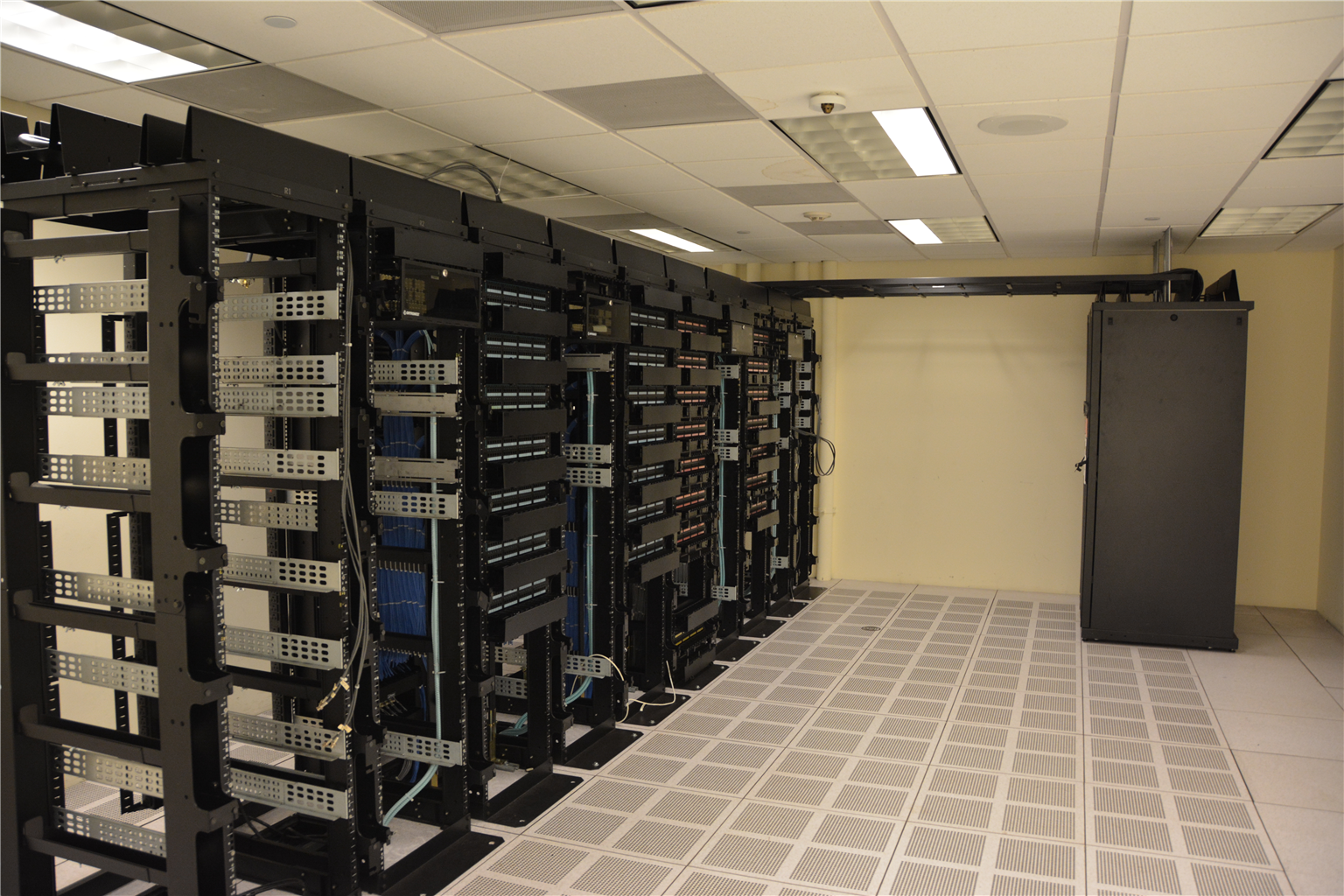
Cloud computing is the delivery of computing services — servers, storage, databases, networking, software and processing power — over the internet, typically on a pay-for-what-you-use basis. Instead of buying hardware and running it in a cupboard, you rent capacity from someone who runs thousands of machines efficiently and gives you access on demand.
There is a joke that the cloud is just someone else’s computer. It is a fair simplification, and understanding exactly what it implies is the beginning of understanding where cloud computing is genuinely valuable and where it introduces new risks.
How it works underneath
Two technologies make it possible:
Virtualisation
A hypervisor divides one physical server into many independent virtual machines, each running its own operating system. This is what makes sharing efficient — one machine can host dozens of tenants, and idle capacity from one customer is available to another.
Abstraction
You request resources through an interface rather than touching hardware. “Give me four cores and 16 gigabytes” returns capacity in seconds. Behind that abstraction sit vast data centres with redundancy across power, cooling, networking and geography.
Containers and orchestration
Virtual machines each carry a full operating system. Containers share the host kernel and package only the application and its dependencies, so they start faster and pack more densely. Kubernetes schedules and manages containers across clusters — it is the de facto standard for running applications at scale.
The three service models
This is the framework that organises everything else, and it is best understood by how much you are responsible for managing.
| Model | You manage | Provider manages | Examples |
|---|---|---|---|
| IaaS — Infrastructure as a Service | Operating system, applications, data, middleware | Servers, storage, networking, virtualisation | Virtual machines, block storage, load balancers |
| PaaS — Platform as a Service | Your code and data | Runtime, OS, middleware, infrastructure | Deploy an app without ever provisioning a server |
| SaaS — Software as a Service | Configuration and your data | Everything else | Webmail, cloud storage, online office suites, CRM |
Most people already use SaaS daily without thinking of it that way. Gmail is software delivered as a service; there is nothing to install and no server to maintain. The progression to PaaS and IaaS is a progression of control: more control means more responsibility.
Deployment models
- Public — shared infrastructure offered to any customer. Cheapest and most elastic
- Private — dedicated to one organisation, often for regulatory or data-residency reasons. More control, higher cost
- Hybrid — some workloads public, some private, connected. The most common enterprise configuration in practice
- Multi-cloud — deliberately using more than one provider to avoid lock-in and use best-of-breed services
Why organisations move to the cloud
Provisioning in minutes instead of weeks
The historical bottleneck was procurement: ordering hardware, waiting for delivery, racking and configuring. Cloud removes that entirely for capacity, though it does not remove the time needed to design well.
Elasticity
Traffic on a retail site might spike fifty-fold for a day. Owning hardware for the peak means paying for it all year. Scaling up on demand and releasing capacity afterwards is the single clearest economic argument.
Capital expense becomes operating expense
Buying servers is capital expenditure with depreciation over years; cloud is a recurring operational cost. That changes financial planning, though it is not automatically cheaper — see the risks below.
Reliability and recovery
Professional providers replicate data across availability zones and regions. Most organisations cannot match that level of redundancy on-premises without significant investment.
Global reach
Deploying to data centres in several continents puts content nearer users, reducing latency — which is exactly why content delivery networks work, and why 5G’s edge capabilities pair with cloud architectures (see what is 5G).
The risks, honestly
Outages
Cloud providers have had significant, widely publicised outages that took large parts of the internet down with them. Concentration cuts both ways: when the provider fails, a very large number of services fail simultaneously. Resilient architecture means spreading across zones deliberately, which costs more.
Shared responsibility
The model that catches people out. The provider secures the cloud; you secure what is put in it. Misconfigured storage buckets, over-permissive access keys and unencrypted databases are customer-side failures and account for a large share of cloud data breaches. The infrastructure was secure; the configuration was not.
Cost sprawl
Pay-as-you-go makes it easy to spin resources up and forget them. Orphaned storage, idle instances, unmanaged data transfer and runaway development environments produce bills nobody expected. Cloud cost management is now a genuine discipline because of this.
Vendor lock-in
Managed databases, serverless functions and proprietary AI services are excellent until you want to leave. Migration becomes expensive precisely when you have most to gain from a change.
Data residency and jurisdiction
Storing data in another country subjects it to that country’s legal regime, including lawful access powers that may conflict with your own privacy obligations. This is a board-level consideration, not an engineering detail.
Internet dependency
A local application still works when the connection drops. A cloud application does not. For some workloads that trade is unacceptable.
Where you already use it
- Streaming media — the catalogue is stored centrally; you stream rather than download
- Photo backup — a private data centre you never see, synced automatically
- Banking and payments — transaction processing scaled to absorb payday spikes
- Collaborative documents — multiple people editing the same file is possible only because the authoritative copy is central
- AI and machine learning — model training requires GPU capacity few organisations would buy outright; running inference through an API is SaaS or PaaS by another name
- Backups and disaster recovery — off-site copies that survive a fire or theft
Beyond the basics
Serverless
You write a function; the provider runs it, scales it, and charges only for execution time. There is still a server — you simply never think about it. Ideal for event-driven work; a poor fit for long-running steady workloads where it costs more.
Edge computing
Processing data near where it is generated rather than sending everything to a central region. Required for autonomous vehicles, industrial control and augmented reality, where round-trip latency matters more than raw throughput.
FinOps
The discipline of managing cloud spend — accountability, tagging, rightsizing and reserved capacity planning. It exists because the elastic model’s greatest strength is also its financial risk.
Is it right for you?
As a general guide: cloud suits variable workloads, fast-moving products, global audiences and teams without dedicated infrastructure staff. It suits poorly when workloads are steady and predictable (owned hardware can be cheaper long-term), when data must stay under a specific jurisdiction, when latency to a local device is critical, or when you lack the discipline to manage configuration and cost.
Most organisations end up hybrid for exactly these reasons — running the predictable core locally while using cloud for everything elastic.
Frequently asked questions about cloud computing
Is my data safe in the cloud?
It is typically safer than on equivalent on-premises storage, provided it is configured correctly. The provider’s infrastructure is generally more secure than a small business’s own server room. The risk moves to configuration, access control and encryption — areas where the customer retains full responsibility.
Is the cloud always cheaper?
No. For steady, predictable workloads with high utilisation, owned hardware can work out cheaper over time — cloud pricing includes a margin for flexibility you may not use. Cloud wins when you value elasticity, speed and not having to manage hardware. Model both before migrating a stable workload.
Do I lose my data if the provider shuts down?
Providers offer exit tooling, bulk export and long notice periods for exactly this reason. The realistic risk is not sudden disappearance but dependency: proprietary services you have built deeply around become expensive to leave. Keep exports, avoid unnecessary lock-in, and understand what your exit path actually is.
Is the cloud more environmentally friendly?
Generally yes at the infrastructure level. Large data centres achieve far better energy utilisation than scattered servers running at 10% capacity, and providers buy significant renewable energy. Against that, total consumption is rising sharply as usage grows, and the net effect depends on provider, region and workload. Efficiency per unit of computation has improved; absolute consumption has not fallen.
How do I move to the cloud without downtime?
Typically by moving in stages rather than as a single cutover: replicate, run both, shift traffic gradually, then decommission. The pattern that fails is the “big bang” migration with no rollback path. Testing failover before you need it is the step most often skipped.
This article explains general technology concepts. For the security layer, see our guides on checking whether a website is safe and what a VPN does.
Image credit: Carl Lender, "Datacenter Server Racks", CC BY 2.0, via Wikimedia Commons







[…] large share of cloud breaches. The platform was secure; the configuration was not. This is why our cloud computing guide treats configuration as the main cloud […]